
From Old Family Photos to Product Shots: What People Are Actually Doing With Image-to-Video AI
There’s a pattern that shows up in almost every discussion around “image to video ai free unlimited” — most people searching that phrase aren’t trying to become video editors. They have a specific photo in mind and a specific reason they want it moving. A small business owner wants a product photo to feel alive on a landing page. Someone wants to bring an old photo of a grandparent back into motion for a family video. A social media manager needs ten seconds of movement to stop the scroll on a feed that’s otherwise full of static images.
So instead of explaining the technology from the top down, it’s more useful to walk through what people are actually building with it — and what separates a clip that looks impressive from one that looks obviously synthetic.
The Nostalgia Use Case
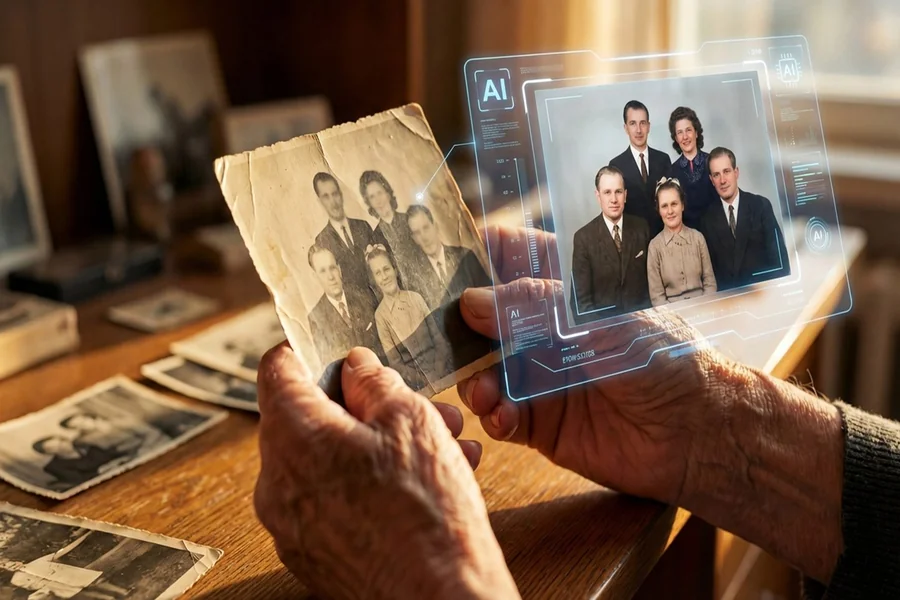
This might be the most emotionally loaded use of the technology, and it’s a big part of why it spread so quickly. Someone uploads an old photo — a parent at their wedding, a grandparent as a young adult, a childhood picture — and a couple of seconds of subtle motion gets added. Eyes blink. A head tilts slightly. Hair moves in a breeze that was never actually there.
It sounds small, but the effect on people is surprisingly strong. A still photo is something you look at. A moving one feels closer to something you’re watching happen. That emotional gap is exactly why this particular use case keeps circulating on social platforms, usually with captions like “I can’t believe this is real” attached to a clip that clearly isn’t, in the traditional sense, but doesn’t feel fake either.
If this is the use case that brought you here, the honest advice is to start with the clearest, most well-lit photo available. Old scanned photos with heavy grain or low resolution give the model very little to work with, and the results tend to look more distorted than dreamlike.
The Small Business and Marketing Use Case
On the more practical end, plenty of small brands are using image to video tools simply because filming original video content is expensive and slow, while a decent product photo is something they already have. A still image of a candle, a pair of shoes, or a skincare bottle gets converted into a slow rotation or a soft zoom, and suddenly there’s motion to work with for an ad or a Reel — without booking a studio or a videographer.
This is where the “unlimited” part of the search phrase actually matters in a practical sense. A single product shoot might involve dozens of items, and paying per generation adds up fast if a platform charges by the clip. A tool that doesn’t cap how many times it can be used makes it realistic to batch-process an entire catalog instead of hand-picking just a few hero images.
What tends to work best for products
Simple backgrounds help enormously here. A product shot on a plain white or neutral background gives the AI a much cleaner separation between subject and background, which usually means smoother, more convincing motion. Busy or cluttered backgrounds — a product sitting on a messy desk, for instance — tend to introduce warping around the edges once movement gets added.
The Content Creator Use Case
There’s also a large group of people using these tools simply because raw footage takes too long to produce for the volume of content they’re expected to post. Someone with a folder of travel photos, for example, can turn a handful of stills into a short slideshow-style video with each image gently animated, rather than filming an entirely new trip just to have “real” video content.
This is usually where model quality becomes the deciding factor between tools. Older or weaker models tend to introduce a strange rubbery warp, especially around faces, hands, and edges where the subject meets the background. Newer models handle this far more gracefully. Seedance 2.5 is a good example of a model built with that specific problem in mind — keeping faces and fine details stable while everything around them moves naturally, which is the difference between a clip that looks intentional and one that looks like it was generated by something still figuring out how bodies work.
A Quick Comparison: Old Way vs. New Way
It helps to see the shift side by side:
- Old way: Book a shoot or film new footage, edit it, export it, hope it fits the format you need.
- New way: Take a photo you already have, run it through a model, get a short clip in under a minute.
- Old way: Paying per project, per photographer, per edit round.
- New way: Free tiers that let you experiment as much as you want before deciding whether a paid tier is worth it.
- Old way: Motion limited to what you could actually film.
- New way: Motion generated from a single frame, including effects — slow zooms, drifting clouds, subtle parallax — that would normally require specialized camera rigs.
Where the Limits Still Show Up
None of this is flawless yet, and it’s worth being upfront about that instead of overselling it. Hands during motion remain one of the harder things for any model to get consistently right. Longer clips are more prone to small glitches than short ones. And faces under dramatic lighting changes can sometimes flicker or shift in odd ways for a frame or two.
The practical takeaway is to keep expectations calibrated to the clip length and complexity. A five-second clip of a product slowly rotating is a much safer bet than a fifteen-second clip of a person walking through a crowded street. Start with the simpler version of what you want, see how the model handles it, and build up from there once you know how it behaves.
The Bigger Picture
What ties all these use cases together is that none of them actually require video skills. A nostalgic family clip, a product ad, a travel recap — they all start from something people already have sitting in their camera roll. That’s really the appeal behind the whole “free and unlimited” search trend: it’s not about mastering new software, it’s about getting more out of photos that were, until recently, just going to sit there being still.
Leave a Reply
You must be logged in to post a comment.