
Seedance 2.5 Reel Crop Vs A Homepage Banner
Homepage grids and story frames ask for different crops, and a single portrait file will not satisfy both. A designer who drops one vertical clip into a wide slot will see cover cut the top and the bottom. Contain leaves empty bands on the left and the right. Seedance 2.5 can make the moving shot, but the ratio is a layout decision made before the prompt, not a crop applied after one lucky file comes back.
Designers already separate a story frame from a banner before any model is opened. Seedance 2.5 can be asked for a 9:16 frame, a 16:9 frame, or a square, and those are three exports. The art director’s check is whether each file was made for its slot. A portrait that looks calm on a phone is the wrong object for a wide module, even when the product itself is the same.
A Story Crop Misses The Homepage Grid
A homepage module is a wide or square hole in a grid, and a story frame is a tall phone screen. Forcing the tall file into the wide hole, while keeping the ratio, does one of two ugly things. Cover fills the wide hole and cuts the top and the bottom. Contain fits the whole portrait inside and leaves empty bands on the left and the right. Neither result belongs in a layout, because both are a file sitting in the wrong slot.
The failure is easy to miss in a review that only plays the phone file. On the phone the bottle, the hands, or the poster edge can look intact. On the grid the same pixels lose the thing the module was built to show: the full object, with room for the type that already lives in the brand system. That is a layout miss, and it does not get fixed by writing a longer prompt for the same vertical ratio.
Compare the placements on paper before anyone generates. Name the Reel or the Story, name the banner, and name the tile, and treat those three names as three files. If the brief says “one video for the whole site,” the brief is what is wrong, not the model.
Match Each Placement To Its Own Export
Each hole gets its own generation. Portrait for the phone story, landscape for the banner, square for the grid tile. The product stays whole inside that hole. Fitting the portrait into the banner later is not a trim. Cover cuts the top and the bottom. Contain leaves empty sides.
| Placement | Ratio | What the review accepts
|
| Reel or Story | 9:16 | Motion, product shape, and hands. Type is not signed off in this file. |
| Homepage banner | 16:9 | A separate export. Cover of a Reel cuts the top and bottom. Contain leaves empty sides. |
| Grid tile | 1:1 | A separate export for the module. It is not a center cut of the banner. |
Read the table as a filing rule, not as a menu to paste into one prompt. The row you are delivering is the only ratio you set for that generation. The other two rows wait their turn. Mixing them into one sentence (“vertical, but also wide, and also square”) is how the frame comes back as a compromise that fits none of the holes.
The three frames below are the compositions to generate. The dashed line is the safe zone for the product and the hands. The shaded band stays empty so type can sit there later.
Save 9:16 For Reels And Stories
9:16 belongs on a Reel or a Story, where the phone is the whole canvas. Use it when the action needs the tall frame: a hand entering from the top, a product turning in the center, a short move that can finish before the viewer flicks away. Do not use it as the master for the homepage. The grid is not a stack of stories. A tall file cannot stand in for the banner, and it cannot stand in for the square tile either.
Keep the prompt for this export about the tall composition only. Say where the product sits in the vertical frame and how the camera moves. Leave the banner’s wide breathing room out of this pass. If the art director later asks to fit this Reel into the banner, that request is a new 16:9 export. Cover would cut the top and the bottom. Contain would leave empty sides. Neither is a timeline trim.
Export A Separate 16:9 Banner
The banner is a wide stage. The product needs to sit inside it with margins the grid already uses, often beside a headline that was designed as type, not as pixels baked into the picture. Generate that wide frame on its own. Putting the Reel into this hole while keeping the ratio does not make a banner. Cover fills the wide hole and cuts the top and the bottom of the portrait. Contain fits the whole portrait inside and leaves empty bands on the left and the right.
The camera direction changes with the frame. A push-in that works in a tall story can shove the product out of a wide banner, because that move was composed for a phone, not for a stage with room on both sides. Write the wide move for the wide hole: a lateral drift, a slow reveal of the object from the side, a hold that leaves a clean area where the headline will sit. That clean area stays empty of letters. The headline is type, placed in the layout, in the face the site already uses.
Export A Square Tile For The Grid
The square tile is the module people see beside text, not the story they hold at arm’s length. It wants the product large and centered, with less camera travel than the Reel. A wild orbit that looks lively in 9:16 becomes a blurry corner in a small tile. Generate the square as its own quiet hold, so the object reads at the size of the module.
If the grid uses three tiles in a row, three different moves will fight. Pick one camera idea and repeat it across the set, each still exported square. Do not pull those tiles out of the banner by cropping. The banner’s empty headline area becomes a dead corner in the square, and the product slides off center. That rework is another generation, and it costs the time the review was supposed to save.
Judge Small Type On The Final Export
Small type is not a 720p decision. The shaded bands in the three frames are empty so a price or a dish name can be set later, in the type already on the label, and read on the 1080p file at the size of the slot.
Overlay Prices In The Existing Type
Put the price, the dish name, or the short offer on in the edit. Use the type already on the menu or the label, at the size and weight the brand book already specifies. Do not ask the picture to invent that lettering. A model can attempt words, and a near-miss is harder to catch than a blank area you reserved on purpose.
Reserve the blank on purpose in each export. In the Reel, leave a band where a caption can sit without covering the product. In the banner, leave the headline area truly empty. In the tile, leave a corner that matches the module’s text inset. Seedance 2.5 AI Video Generator is doing the motion in those files. The type stack in the layout is doing the words. Splitting those jobs is what keeps a price from drifting between the story and the homepage.
A Preview At 720p Is Only A First Look
720p is a first look at product shape, hands, and the camera. It is not a file you sharpen and ship. A 1080p file is a new generation. It is not an export filter applied to the 720p preview.
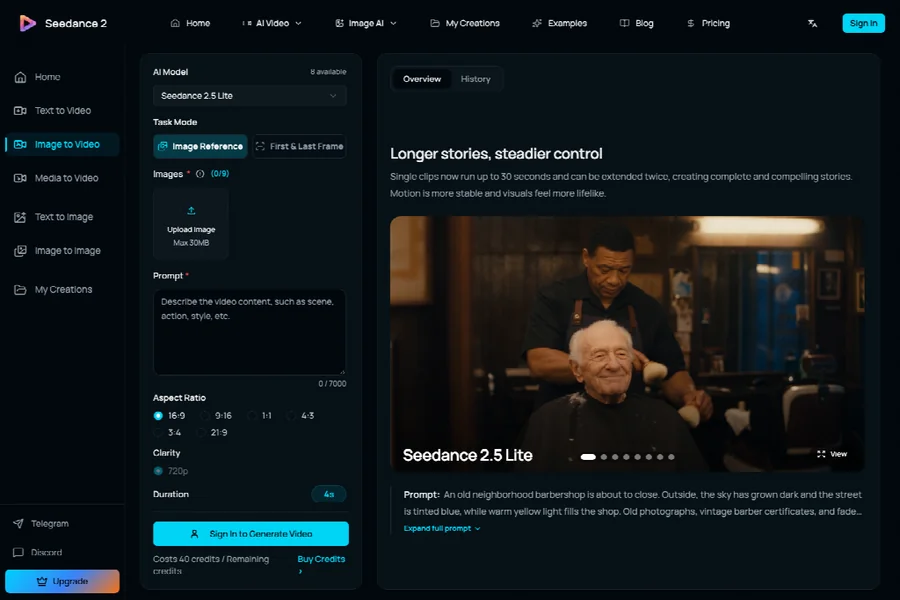
On Seedance 2.5 the resolution control offers 480p, 720p, and 1080p, and you pick one before you generate. Run the first look at 720p, at the ratio of the slot you are delivering. Watch whether the product stays whole, whether a hand stays attached, and whether the move stays inside the safe zone for that ratio. If the shape fails, change one line of the prompt or the reference and generate again at 720p. Raising the resolution does not repair a bad move.
Keep The Prompt And Change Resolution
- Leave the prompt, the reference, the ratio, and the length as they were on the 720p pass you accepted.
- Change only the resolution control from 720p to 1080p.
- Read the credit estimate. It updates when the resolution changes. Submit only after that number is on screen.
- Generate again, then download that file. That download is the publish file for this placement.
- Set the price or the dish name in the edit, on this file, in the type the label already uses. Read those words at the size of the slot.
The 720p file stays in the folder as the record of the move you accepted. It does not get sharpened into the banner. If the 1080p generation drifts, change one variable and run 720p again before you spend another 1080p pass.
Ship The Crop The Layout Actually Asked For
Publish the portrait file to the Reel or the Story, and publish the wide file to the banner slot. The square tile gets its own quiet export. Seedance 2.5 fits a designer who will name those three holes before generating, accept the move at 720p, then generate that same shot again at 1080p. It is a poor fit for a brief that demands one vertical master for every module on the page.
Hand the art director the three files with the placement written on the filename, and keep the prompt next to each one. The review then has something to compare: the hole, the ratio, and the type that was added later. If cover has cut the top and bottom, or contain has left empty sides, it does not ship. Make the export again for that hole alone.
Leave a Reply
You must be logged in to post a comment.